Vist includes a Model Context Protocol (MCP) server that lets your AI assistant securely read, search, and manage your notes and tasks — no configuration files or API keys required.
What is MCP?
MCP is an open standard that lets AI models interact with external tools and data sources. With Vist's MCP server, you can ask your assistant questions like:
- "What did I write about the API redesign?"
- "Show me all tasks due this week"
- "Create a note in my Work folder with these meeting minutes"
Getting started
Connecting takes about 30 seconds:
- In your AI tool (Claude Desktop, ChatGPT, or any MCP client), add Vist as an MCP server using the remote URL.
- Sign in to your Vist account when prompted and approve the connection.
- That's it — your notes are now part of the conversation.
No local bridge to run. No API keys to copy around. Just sign in and go.
What your AI can do
Vist's MCP server exposes three categories of capability:
Interactive task list
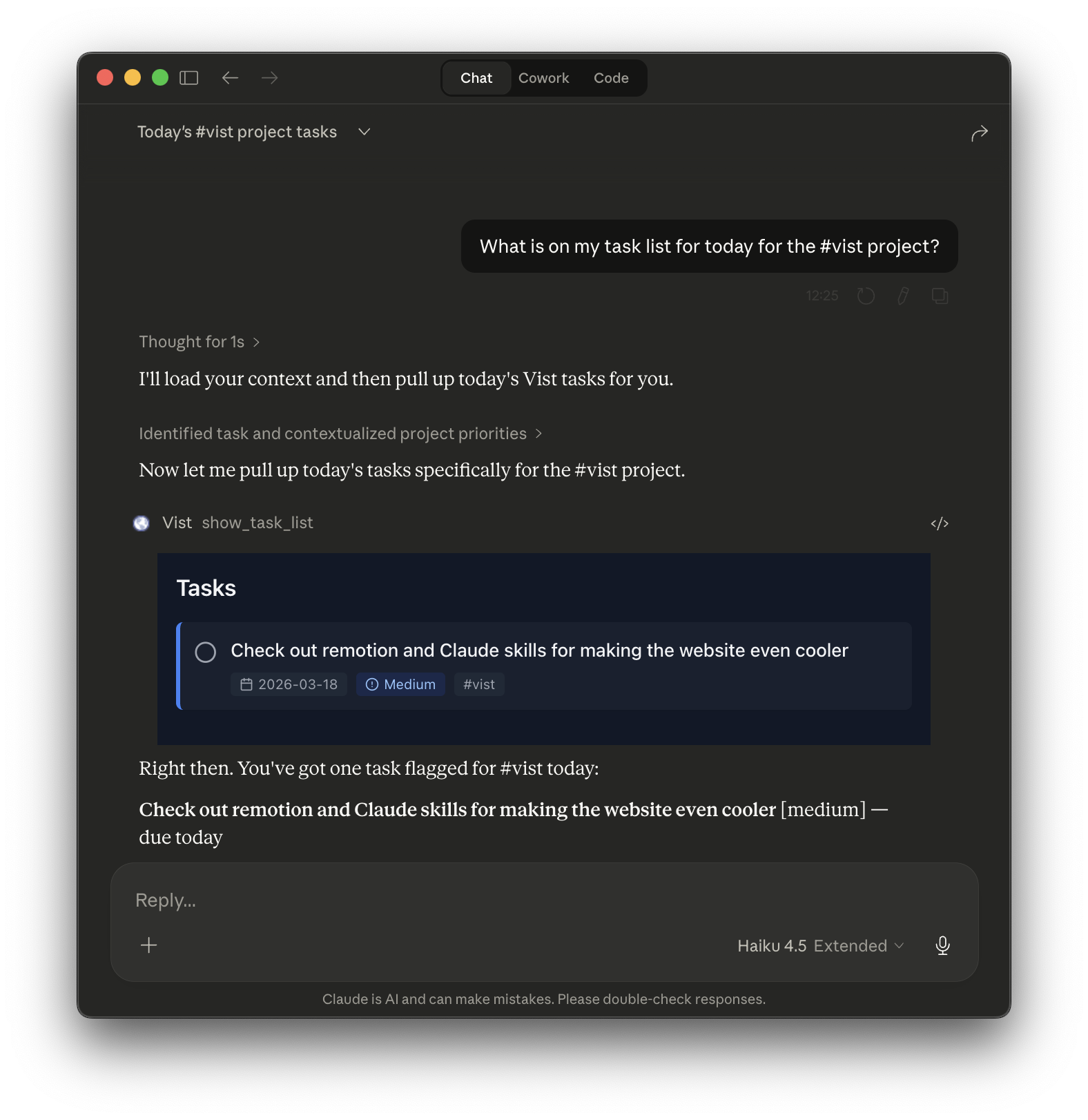
In supported clients like Claude Desktop and the ChatGPT app, the show_task_list tool opens a live, interactive task view directly inside your conversation. You can check off tasks, see priorities, and manage your day without leaving the chat.
Notes and tasks tools
Your assistant can browse and act on your full knowledge base:
- Read: search notes by keyword, list folders, open a specific note
- Write: create new notes in any folder, edit existing content
- Tasks: create tasks, mark them complete, or query by due date
This means you can say "summarise my notes on the project brief" or "add a task to follow up with Sarah on Friday" and it just works.
Agent memory system
Vist can serve as persistent memory for your AI agents. In Settings → MCP, you'll find a ready-made system prompt you can paste into any agent configuration. This prompt gives your agent ongoing context — your working style, active projects, priorities — so it picks up where you left off without you having to re-explain things every session.
Security
Every request is scoped to your account using OAuth. Vist enforces the same tenant isolation as the main app — your data is never accessible to other users, and you can revoke access at any time from Settings.