You write the notes. Your tools can read them.
Vist is a fast, keyboard-first Markdown notebook with tasks, links and reMarkable handwriting sync. It also runs an MCP server and a command-line client, so Claude, Le Chat and your coding agents can read and write your notes. Only when you connect them.
brew install davidheijl/tap/vist
Free plan · no credit card · hosted in Germany
Thursday 1 October
Talked to three founders about pricing. None of them read the pricing page first; they asked a friend who already paid. Worth writing up properly in Pricing is a conversation.
- Send Maja the interview notes
- Draft the essay outlinetoday
- Call the printer about the zine proofstoday
$ vist search_knowledge_base \
    --query "asked a friend" \
    | jq -r '.results[0].title'
Thursday 1 October$ vist list_tasks --due today \
    | jq -r '.tasks[].description'
Draft the essay outlineCall the printer about the zine proofs$ vist create_note --title "Pricing is a conversation" \
    --content "$(cat outline.md)" | jq -r .title
Pricing is a conversation$
An example note, as you write it in Vist. Point at a line to see its twin, or tick a task.
The same note, as an agent (or you) reads it with the vist CLI.
Instead of Obsidian and Claude Code glued together: no vault to sync between machines no plugins to wire up no folder theology no pasting notes into a chat
The best note-taking app I've tried so far. With the MCP integration it's so versatile and accessible. It just works.
I just paste Gemini output into a note and then use full screen presenter mode when meeting with fellow students.
A notebook first.
Everything in this chapter works without an AI anywhere near it. Markdown that renders as you type, tasks inside your notes, links between them, and a key for every move.
An editor that gets out of the way.
Four ways to look at the same note. In Focus, the paragraph you're writing stays in the middle of the screen and everything else dims. Presenter takes a note straight to a room. Width is set per note.
- NormalComfortable reading widthEsc
- Full-pageLists and sidebar out of sight⌘ \
- FocusTypewriter scrolling, one paragraph lit⌘ .
- PresenterLarge type, full screen⌘ ⇧ P
CommonMark and GFM, tables, code blocks, Mermaid diagrams, find and replace. Paste Markdown in, copy Markdown out.
How the view modes work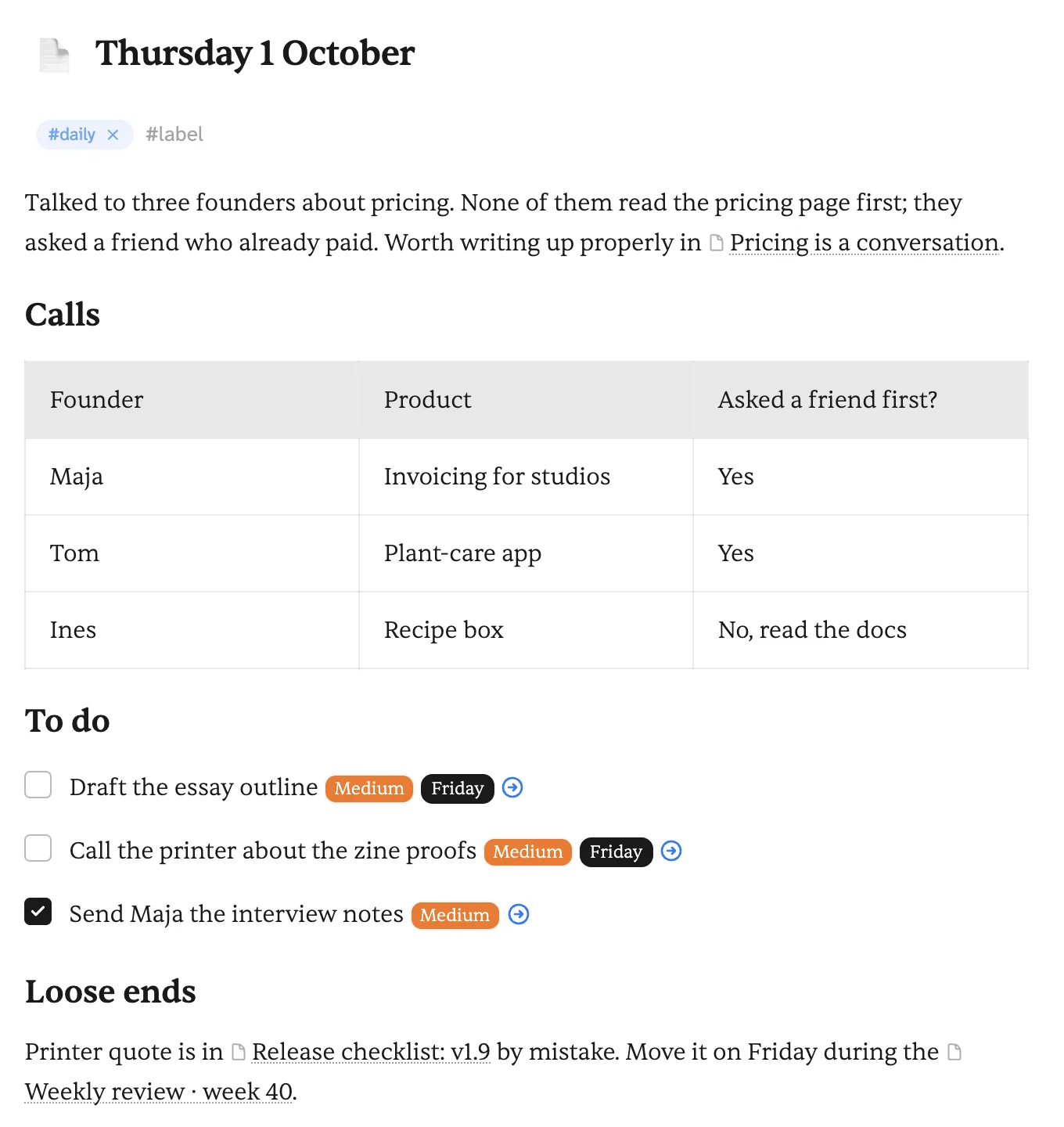
Link as you think.
Type [[ and pick a note. Every note lists what links to it, so the idea you wrote down in March turns up when you need it in October.
Folders are there if you want them, one level deep, with labels that cut across them. A checkbox anywhere is a task, with a due date and a priority, collected in Today and Upcoming.
Tasks inside notes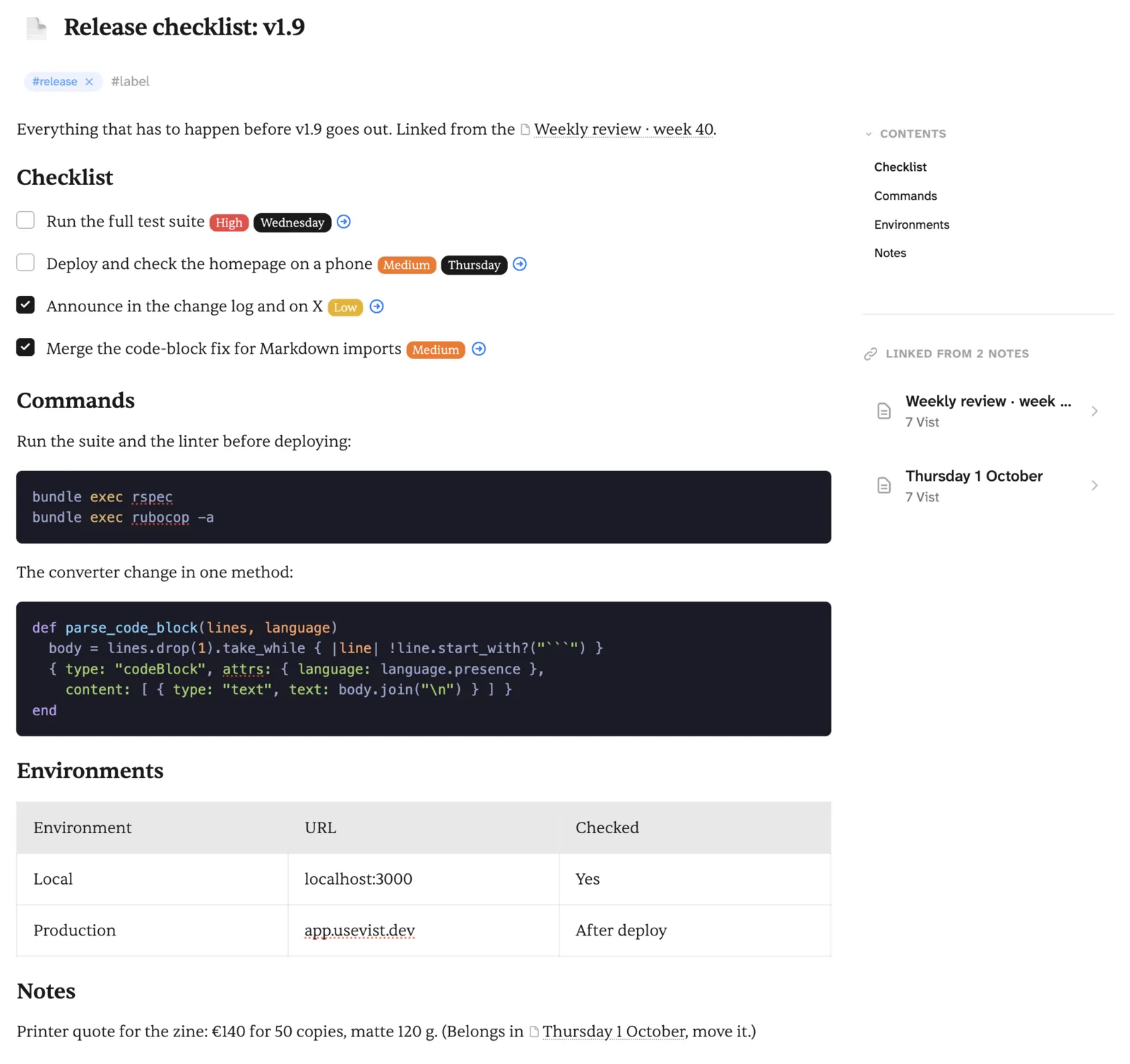
Your handwriting, searchable.
Connect your reMarkable and your notebooks come across as notes. Each page is rendered, read by OCR and filed as text you can search, link and quote, with the page itself kept alongside.
Add a page on the tablet and only that page syncs again.
Meeting with the printer
Proofs on Friday. Matte stock, 120 g. Ask about a second colour for the cover.
Page 1 · text from handwriting
proofs fri / matte 120g / 2nd colour cover?? ask Jan
Example of a synced reMarkable note.
A key for every move.
j and k move through lists, ↵ opens, Esc closes, and ⌘ K does the rest. Press ? inside Vist for the whole sheet. On Windows and Linux, read Ctrl for ⌘. The sheet below answers to j and k too.
All keyboard shortcutsAnywhere
- Command palette
- ⌘ K
- Search
- ⌘ ⇧ F
- New note
- ⌘ ⇧ N
- New task
- ⌘ ⇧ T
- Settings
- ⌘ ,
- All shortcuts
- ?
Moving
- Next, previous
- j k
- Open, enter editor
- ↵
- Close, leave editor
- Esc
- Complete task
- ⌘ ↵
- Today
- ⌘ 1thent
- Folder 0–9
- ⌘ 2then0–9
Writing
- Find and replace
- ⌘ F
- Focus mode
- ⌘ .
- Full-page
- ⌘ \
- Link a note
- [[
- Start a table
- |a|b|
- High priority task
- !p1
Linear is to Jira
what Vist is to Notion.
Denser.
More information per scroll. Fewer cover photos, callout boxes and toggles inside toggles. Made for people who already know what they're doing.
Sharper.
Keyboard-first and driven by a command palette. Built for how you actually work, whether that's one text editor or five AI tabs.
Yours.
Hosted in the EU. Plain Markdown export, anytime. No proprietary blocks to extract later, no lock-in.
Your AI can read it too.
When you want it to. Connect an assistant over MCP, or give a coding agent the vist CLI, and it can search your notes, file tasks and keep a memory you can read. Nothing reaches your notes until you connect it.
Any MCP client, one address.
Vist runs an MCP server. Add it to your assistant, sign in, and it can search, read and write your notes without copy and paste.
- Claude and Claude Code
- Mistral Le Chat
- ChatGPT
- Cursor
- any MCP client
# add as a custom connector
https://app.usevist.dev/mcp
Set up the MCP server
A CLI for agents and scripts.
One binary. vist init signs you in and writes a short skill file for each coding agent it finds, about 1,100 tokens, instead of loading every tool into every session. Piped output is JSON.
$ brew install davidheijl/tap/vist
$ vist init
$ vist list_notes --all --jsonl | jq -r .title
Read the CLI docs
See your agents' work on a board
A memory you can read.
Decisions, learned facts and project state are kept as notes. Your assistant loads them when a session starts and records new ones when it ends. You can open, edit or retire any of them, and a reversed decision stays on record.
Essay before zine
DecidedWrite the pricing essay first; zine proofs after the printer call.
WhyThe interview notes are fresh this week.
Example memory note.
Sources in, wiki pages out.
Hand your assistant a PDF, a web page or a transcript. It is kept as a source, written up as linked wiki pages that cite it, and found by search next to your own notes.
- SourceThe Craft of Research (PDF)
- PagesClaims and evidence · Warrants · Asking the right question
- Cited inPricing is a conversation
Example: one source, three wiki pages.
The idea behind the LLM wikiThe memory feature has meant that Le Chat has kept note of historical information from past chats, labels I've used across many sessions, so it definitely makes the AI appear to retain context very well.
The house rules.
The same promises whichever way you use Vist: with your own hands, with an agent, or both.
Read the privacy policy- Your words
- Everything you wrote, as plain Markdown, whenever you ask for it.
- Hosted
- Hetzner, Falkenstein, Germany. GDPR-compliant, processor agreement available.
- Assistants
- Reach your notes only if you connect them, over MCP or the CLI.
- Search
- Full-text search in Postgres. Semantic search uses Mistral embeddings; switch it off in settings.
- Cookies
- None for tracking.
- Analytics
- Simple Analytics and TelemetryDeck, both EU companies.
- Where it runs
- In the cloud, not in a local folder: web, desktop apps for macOS, Windows and Linux, and a mobile web app. No offline mode yet.
Free to start. Founder plan at €5 a month. Pro at €7.
See full pricingFor trying Vist and small personal libraries.
- Up to 200 notes
- 1 GB storage
- Full editor, tasks and MCP
- Web app and desktop
Everything in Pro at an early-adopter rate, locked in for as long as you stay subscribed.
- Unlimited notes, 50 GB storage
- Everything in Pro
- Rate locked in while subscribed
For everyday use across all your devices and AI clients.
- Unlimited notes and tasks
- 50 GB storage
- MCP, CLI and memory