He gave us the pattern back in April. You shouldn't have to bolt it together yourself.
I read a lot for work, and for years I tried to build somewhere to keep what I learned. I started a TiddlyWiki by hand. Then I tried to build the same thing manually in Evernote. Mostly what I ended up with was a pile of PDFs and a folder of links, a lot of them saved as screenshots of pages that looked interesting at the time.
None of it turned into anything. The tools were happy to hold a PDF. Turning fifty of them into something I could actually think with was still my job, and I never got around to it.
Where the idea comes from
A few months ago, back in April, Andrej Karpathy described a pattern he'd started leaning on: using LLMs to build personal knowledge bases for the topics he was researching. It isn't RAG — no chopping documents into chunks and retrieving them on every query. Instead you feed in raw sources, and the LLM writes them up into an interlinked wiki of markdown files. Summaries, backlinks, a concept for each idea, all cross-referenced.
One line of his stuck with me:
Obsidian is the IDE; the LLM is the programmer; the wiki is the codebase.
The setup has three layers. Raw sources sit untouched in one folder. The wiki — the LLM-generated markdown — grows on top of them. And a schema (a CLAUDE.md or AGENTS.md file) tells the model the house rules. Three operations run it: ingest new sources, query what you've collected, lint to check it's still healthy. You build on what you've already filed instead of starting from scratch every time you ask a question.
It's a really good idea. Karpathy has said a growing share of his own LLM usage now goes into this rather than into code.
The catch
Here's what the tutorials gloss over: to actually run Karpathy's wiki, you set up an Obsidian vault, install Claude Code, write a schema file, wire up a raw/ directory, work out how ingestion gets triggered, and then keep the whole thing running. There are a dozen blog posts now walking you through the setup. When a workflow needs a setup guide, it's still a project, not a feature.
I don't think a personal research wiki should be a project. I don't think you should have to be the sort of person who enjoys wiring up an Obsidian vault and a coding agent on a Saturday. That kind of friction is a barrier, and barriers made of friction eventually get removed.
So I removed it. This should be a commodity — something your knowledge tool just has, the way it has search. That's the Vist approach.
How it works in Vist
There's no vault to configure and no schema file to write. You point Vist at something, and it does the writing-up.
Ingest what you're reading. Drop in a web page or article, a PDF, a pasted block of text, or an uploaded file. Video's on the roadmap too, wherever there's a transcript to work from. Each item becomes a Source record — the raw layer, kept exactly as you gave it, with its own citation.
Every source lands in the wiki. Vist reads the source and writes it into a dedicated wiki entry: a clean, readable note that pulls out what matters and connects it to what you already have. Related ideas get [[wikilinks]], so a paper on retrieval and a talk on embeddings find each other without you drawing the line yourself.
It all rolls up into an overview. Your Knowledge Map is the top layer — the page that shows how your research fits together, updated as you add sources. It's the cross-referenced structure from Karpathy's wiki, except you never had to maintain it.
Search that understands, not just matches. Because everything's embedded, you can ask across your whole knowledge base in plain language. "What did I read about EU data residency?" finds the right sources even when you didn't use those exact words.
A real session looks like this.
- I'm researching local coding models. I paste a benchmark article, drop in a PDF spec sheet, and paste my own notes from a talk I watched. I tell Mistral to "ingest this content into my wiki".
- A minute later I have three source records, three wiki entries linked to each other and to my existing notes on the topic, and a Knowledge Map with a "local models" cluster I can navigate.
- I didn't summarise anything and I didn't file anything. I read, I picked what to keep, I asked questions — Vist did the bookkeeping. The same division of labour Karpathy described.
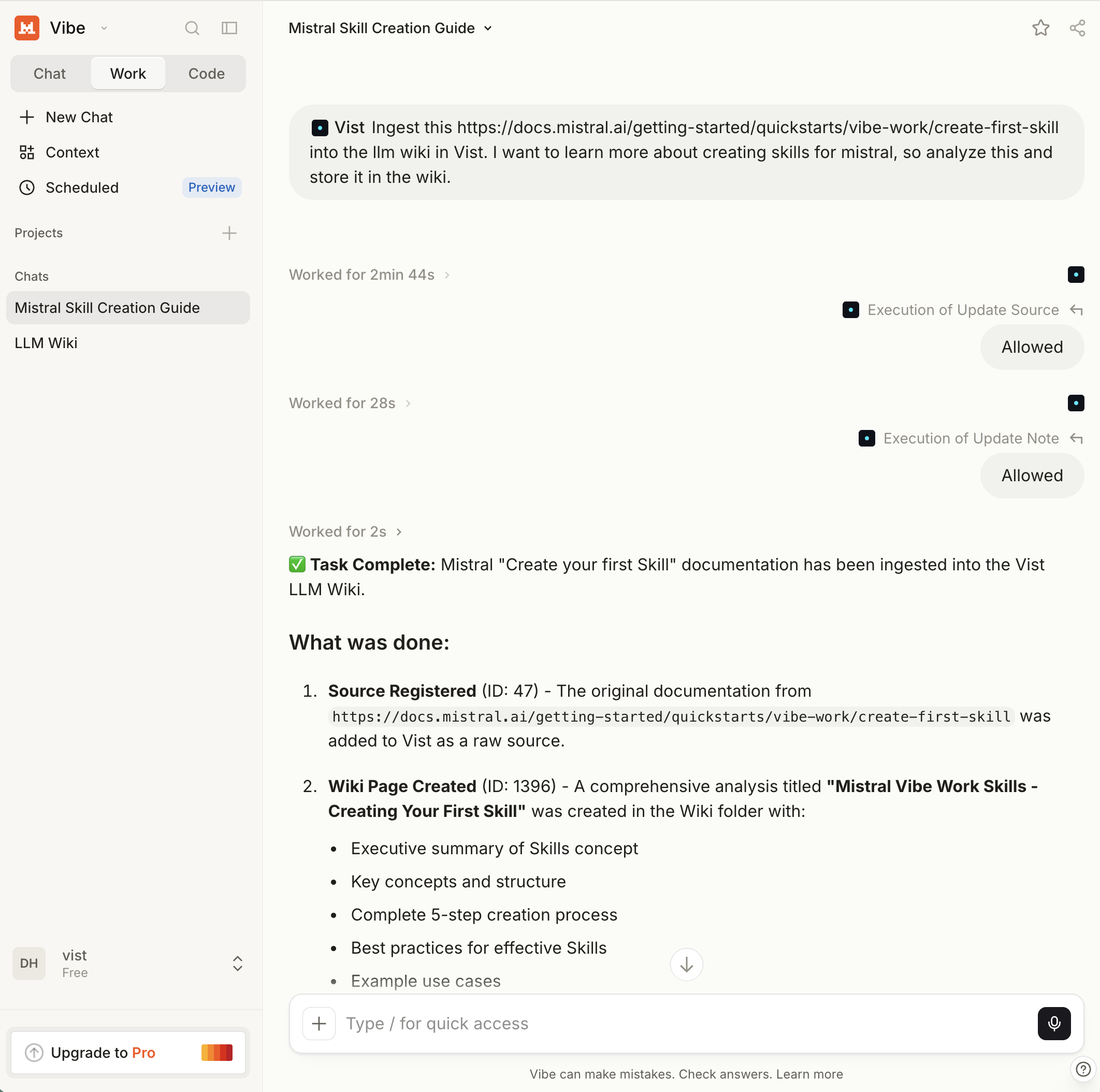
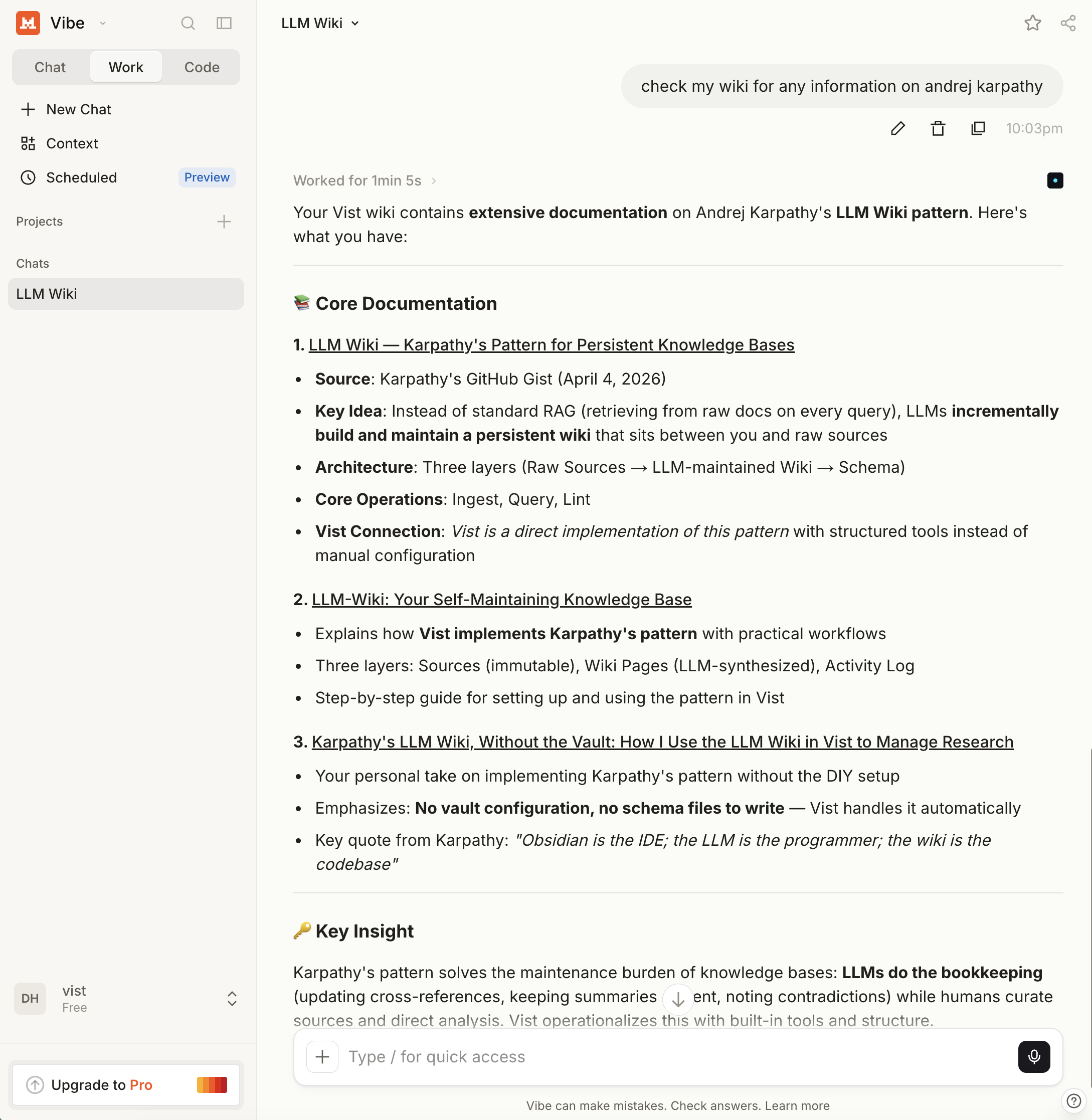
And of course, I can now discuss all of this information with my LLMs — the wiki is not a place where information goes to die, no, it is an accessible source that both I and my agents can read, search, and edit.
Here's Mistral Vibe doing a quick lookup for me:
Your knowledge, in the open
One thing I care about: a knowledge base you can't take with you isn't really yours. Everything Vist writes is plain markdown — the open, portable format Karpathy's wiki uses, and the format the Open Knowledge Foundation has spent years arguing our data ought to live in. Your sources, your wiki entries, your links: exportable as clean files you can open in Obsidian, in a text editor, in anything. We're finishing the last mile on full open-data export, but the direction is fixed — no lock-in, no proprietary blob, no hostage situation. It's your research.
No setup guide required
The honest version of a good idea is the one you don't have to assemble. Karpathy showed everyone an excellent pattern for research. Vist just has it, for everyone.
The LLM wiki is available on all plans, including the free one, which remains way too very generous.
Try it for yourself at usevist.dev — point it at the next thing you were going to "read later," and watch it turn into something you'll actually find again.